

Aviator Crash Game Round: From Bet Window to Fly-Away

Every Aviator crash game round begins with a betting window. During that short period, the player selects a stake and sends the Bet instruction. Once the window closes, a fresh position cannot be added to the active round. The aircraft then starts moving and the Aviator multiplier rises from its opening value.
The possible payout at any moment equals the accepted stake multiplied by the current multiplier. A $5 position collected at x2.20 returns $11. That amount becomes final only when the game server accepts the Aviator cash-out request. If fly-away occurs first, the open position closes without a payout.
This distinction matters because the visible animation and server record are not the same thing. A click creates a request; it does not reserve the number shown on screen a fraction of a second earlier. Network delay, device response and server acceptance can decide which event is recorded first. History and account balance are the practical evidence after the round.
The player controls the stake and the decision to leave. The player does not control the crash point. In previous rounds, the size of the audience, another player’s exit, chat activity and clicking speed do not change the underlying outcome. They can influence behaviour, though. A crowded Aviator live game may make a late exit feel popular, but popularity is not a mathematical signal.
Aviator by Spribe: Release, Live Feed and Provably Fair Check
Spribe released Aviator in 2019. The provider build combines one shared multiplayer round, a rising multiplier, a visible record of bets and exits, and a history of completed outcomes. That live feed gives the Aviator betting game its social character without giving participants control over the aircraft.
Aviator Provably Fair verification, where supported by the integration, is used after a result has been completed. The player can compare the finished round with the fairness data available in the interface. The verifier does not reveal a future multiplier, and it does not give an Aviator predictor access to hidden server information. A genuine Aviator Spribe build should display the provider identity, game rules, history and any available fairness tools. A copied page, altered demo, signal panel or modified APK may imitate the visual theme while remaining disconnected from the real account.
Aviator Download Route: What the Mobile Button Opens
The mobile buttons on this page lead to the access route supplied by the hosting platform. They do not install an independent Spribe account, create a second balance or place a special version of Aviator on the device. The provider supplies the game build; the platform supplies registration, payments, verification, limits and the catalogue around it.
After selecting Download App or Play on Mobile, the player should pause at the destination and check what is actually offered. Android may show a platform package. An iPhone may open Safari, a PWA option or another supported route. The account name, balance and ordinary controls should match the profile already used on desktop.

Three checks are more useful than the file name: the redirect destination is expected, the account environment is familiar, and Aviator appears with Spribe identification in the catalogue. A page that asks for credentials before the account form opens, shows a different wallet or advertises predetermined multipliers is not a normal download route.
Terms such as Aviator game download and download Aviator game describe access intent only. A legitimate Aviator casino app shortens the path to the platform lobby. It does not supply private crash data, a separate game login or an advantage over browser users.
Aviator APK for Android: Redirect, Install and Verify

On Android, Aviator APK usually means the installer for the hosting platform, with Aviator available inside its lobby. It should not be confused with a single-game package claiming to modify Spribe rounds.
- Select Download App on the current page.
- Open the Android route reached through the redirect.
- Check the platform identity and offered package.
- Permit installation only for the browser or file manager being used.
- Complete the installation and remove the temporary permission.
- Sign in, then locate Aviator through Crash Games, Instant Games or Search.
Once opened, the Aviator app Android route should display the same account, Cashier and security area used elsewhere. A second Spribe password, an “enhanced” multiplier screen or a new wallet is not part of the expected setup.
Installation can fail for ordinary reasons: the download may be incomplete, device storage may be low, a previous package may conflict, or Android may have blocked the selected source. These checks should be completed before another file is tried. The supplied information does not confirm package size, a minimum Android release, a checksum or an update interval.
Files promoted as an Aviator predictor APK or Aviator hack app are a separate category. They may copy the artwork while collecting credentials or displaying invented results. The verified platform package opens the normal account and provider catalogue; it does not contain a prediction tool.
Aviator on iPhone: Safari, PWA and iOS Access
Apple devices do not use Android APK packages. Aviator app iOS access may instead appear as a Safari session, an Aviator PWA added to the Home Screen or another option shown by the platform after redirect.
- Tap Play on Mobile or Download App.
- Review the destination reached from the current page.
- Use the iOS, Safari or PWA route that is actually displayed.
- Sign in with the existing hosting-account details.
- Open Aviator by Spribe and compare the balance and history with the other device.
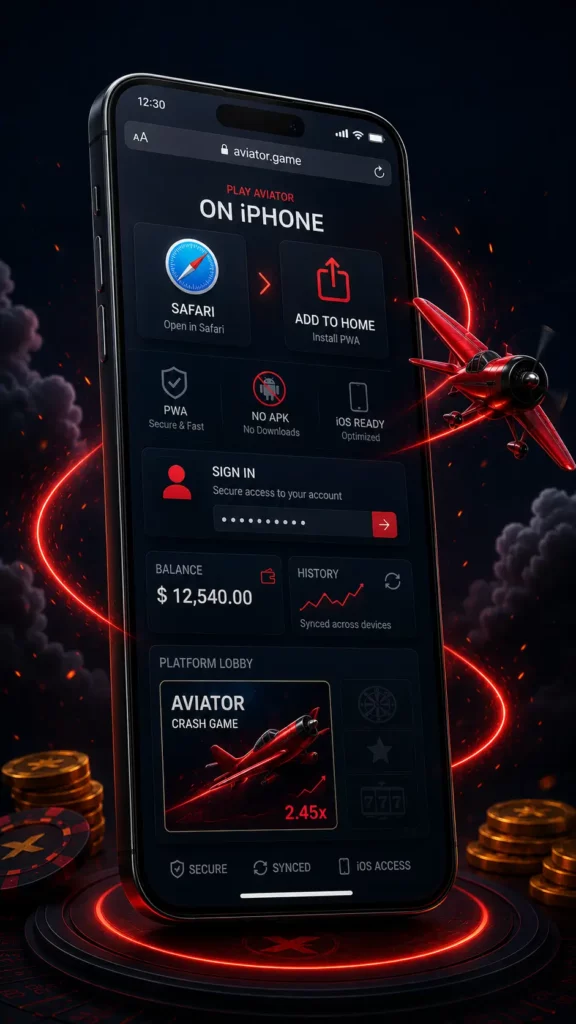
A PWA is a web shortcut, not evidence of a native single-game product. Saved sessions, notifications or biometric unlocking may exist in a particular setup, but they should not be treated as universal Aviator features.
No App Store listing, TestFlight invitation, configuration profile or minimum iOS version is confirmed in the supplied material. Searches for Aviator iPhone or Aviator official app should therefore lead back to the verified mobile route, not to an unrelated listing.
Switching from desktop to iPhone changes the interface, not the game model. RTP, the multiplier process and server acceptance of Cash Out remain tied to the loaded Spribe round.